The stories are heartbreaking. And they are everywhere. I travel around Alberta doing fraud prevention presentations for students, seniors and communities. As I am packing up after a talk, usually a small lineup of people gathers. They have questions and comments, but many of them just need someone to talk to. They need to finally […]
The post AI Scams Are Here: How to Protect Yourself in the Digital Age appeared first on MCSnet.
]]>
The stories are heartbreaking. And they are everywhere.
I travel around Alberta doing fraud prevention presentations for students, seniors and communities. As I am packing up after a talk, usually a small lineup of people gathers. They have questions and comments, but many of them just need someone to talk to. They need to finally tell someone about the scam that embarrassed them, the money they lost, or the phone call that left them feeling shaken. For many, it’s the first time they’ve said it out loud and you can almost see the weight lift when they realize they’re not alone, and that being targeted doesn’t mean they’re foolish.
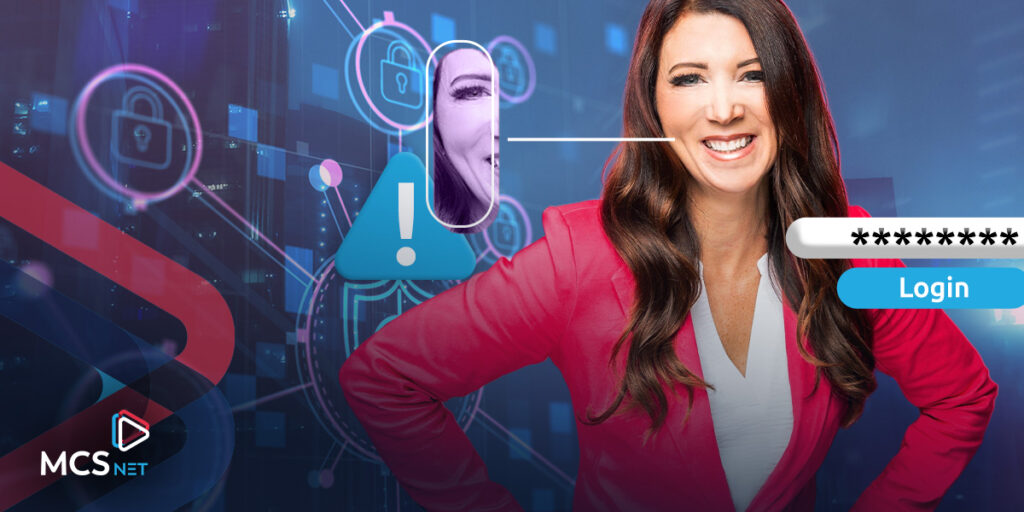
How do we protect those who are most vulnerable in our world? October is Cybersecurity Month and these days Artificial Intelligence (AI) is on everyone’s minds.
So why should we be worried, what can AI do for fraudsters?

- More convincing phishing attacks. AI can generate realistic, personalized emails, texts, or even phone scripts that copy legitimate companies or loved ones.
- Deepfakes and voice cloning. Scammers can now clone someone’s voice or face with just a short sample. Criminals have already used AI voice clones in “grandparent scams,” tricking people into believing their relative is calling in distress. Deepfake AI videos are also very convincing. Scammers may create a video that realistically mimics a politician, a celebrity or company to try to convince you to buy a product, click on a link, or invest in something that is not legitimate.
- Smarter social engineering. By analyzing public information (like social media posts), AI can craft tailored scams that feel personal. This makes victims more likely to trust and respond to them. Some scammers will study a target and then use AI to craft specific messages they believe that person or business may fall for.
- Malware attacks. AI is being used to design malware that adapts to evade detection. For instance, it may change its behaviour to slip past traditional security systems.
AI is raising the stakes. Scams are becoming more convincing and harder to detect. For everyday people, especially aging relatives, the best protection is still awareness. Knowing that scams may now sound exactly like a loved one, or look like a perfectly written email, helps people pause, double-check, and avoid being tricked.
The rapid pace of change can feel overwhelming. That’s why approaching cybersecurity conversations with aging relatives in a way that’s patient, respectful, and practical makes all the difference.

Here are some strategies to make those conversations more effective and supportive:
Start with empathy, not fear or anger
Many older adults have been told, “Don’t fall for that,” which can feel like criticism. Instead, frame the conversation around staying safe. Remind them that anyone, at any age, can be targeted. By starting with empathy, you help your loved one feel respected and less embarrassed about asking questions.
Share real-world examples
Stories stick with people. Talk about scams you’ve read about in the news, or ones that have affected someone in your community. Examples make the issue more real and easier to remember. You can even print a short article or share a trusted website to show what scams look like.
Keep language simple
Cybersecurity terms can sound intimidating. Instead of saying “multi-factor authentication,” explain it like this: “It’s an extra code on your phone in addition to your password like putting two locks on your front door instead of one.”
Focus on a few habits
Too many rules at once can overwhelm. Stick to the basics.
- Don’t click on unexpected links or attachments. Never give out banking or personal information over the phone or email.
- Use strong, unique passwords or consider a password manager together.
- Keep devices updated with the latest security updates.
Teach them to pause and verify
Scammers often use urgency or fear to push quick decisions. Encourage your relative to pause, take a breath, and verify before acting. Suggest that they call the official phone number of their bank, service provider, or family member to confirm the story.
Keep the conversation going
Let them know they can always come to you if they get a strange email, phone call, or text. Reassure them that asking questions is the smartest thing they can do, not a sign of weakness. If they feel comfortable reaching out, they’ll be far less likely to fall for a scam
I see this with so many scam survivors I meet. In many cases I am the first person they have told about what happened to them. They are too embarrassed to confide in friends or family. In some instances, attempts to confide in family left them feeling judged and alone.
Talking about cybersecurity with aging relatives isn’t just about protecting money, it’s about protecting their confidence, independence, and peace of mind. The more supported they feel, the more empowered they’ll be to make safe choices. With empathy and practical tips we can all stay safer in the digital world.
For more resources and information visit these links:
https://www.getcybersafe.gc.ca/en/cyber-security-awareness-month
You can also visit JulieMatthews.ca and follow her social media channels:
Instagram: @juliematthewstroubleshooter
X: @JulieMHelps
TikTok: @troubleshooterjulie
See more on MCSnet’s Cybersecurity Resource Page HERE!
The post AI Scams Are Here: How to Protect Yourself in the Digital Age appeared first on MCSnet.
]]>Hi, I’m Julie Matthews and I’m a fraud nerd. I have spent years educating people on how to spot and avoid online scams. But here’s the thing—scammers are getting smarter every day. Technology is giving fraudsters an edge and it is easier than ever to fall for their tricks. I have seen firsthand how devastating […]
The post Scam Alert! The Most Common Online Frauds and How to Stay Safe appeared first on MCSnet.
]]>
Hi, I’m Julie Matthews and I’m a fraud nerd. I have spent years educating people on how to spot and avoid online scams. But here’s the thing—scammers are getting smarter every day. Technology is giving fraudsters an edge and it is easier than ever to fall for their tricks. I have seen firsthand how devastating fraud can be.
You might think you would never fall for a scam, but the truth is, there’s a scam out there for everyone. We are all potential targets, including businesses and community organizations. All it takes is one moment of distraction—one wrong click—and suddenly, the scammer has found a way in.
Here are five online scams you need to watch out for:
1. Phishing Scams
Your account has been compromised? Nope. It is just a scare tactic that fraudsters use to try to get you to click the link. Scammers impersonate legitimate organizations, such as banks, government agencies, popular retailers and even phone and internet providers, to trick individuals into providing personal and financial information. (They could even pretend to be MCSnet) These fraudulent communications often come via email but sometimes through social media ads as well and may direct victims to fake websites designed to steal their data.
2. Tax Scams
Fraudsters know many people are starting to think about tax time and love to pose as representatives from the Canada Revenue Agency (CRA), claiming that the victim owes back taxes or is entitled to a tax refund. You often receive an email in which they may threaten legal action or arrest to intimidate individuals into making payments or divulging sensitive information. The real CRA will not email you about these types of issues. The agency will instead tell you to log into My Account on the CRA website to view the details.
3. Romance Scams
These scams involve criminals creating fake profiles (with stolen photographs) on dating sites and social media platforms to establish relationships with victims. They are very convincing. Once trust is built, they fabricate emergencies or investment opportunities to solicit money from the unsuspecting individual. These frauds are especially devastating as they target victims emotionally and financially and due to embarrassment, many victims never report these frauds to police.
4. Tech Support Scams
Scammers contact victims, often by pop-up messages, claiming to be from reputable tech companies. They assert that the victim’s computer has a virus or technical issue and request remote access or payment for unnecessary services. Some victims also get caught up in this scam when they do a Google search online for their internet service provider or tech repair company and unknowingly click on a fake or cloned website with a similar name. Do not automatically trust what shows up at the top of an internet search. Verify before clicking.
5. Buy and Sell Scams
A buy and sell scam is a type of fraud that occurs on online marketplaces, classified ads, or social media platforms where scammers trick buyers or sellers into losing money or goods. These scams can take various forms, including fake payments, counterfeit goods, and fraudulent listings. The most common red flag is that the seller will want a deposit up front and will always have an excuse as to why you can’t see the item in person first. After you send the funds by e-transfer, suddenly the seller will block you and disappear. The fraudsters often steal photos from legitimate ads to create the fake ones. Their profile and photo are also usually fake or stolen.

Steps to Protect Yourself:
- Be Skeptical: Approach unsolicited communications with caution, especially those requesting personal information or money. If you did not initiate the contact, be suspicious.
- Verify and Identify: Independently confirm the legitimacy of the person or organization by using official contact information. Look up the website or phone number yourself and reach out to confirm. Verify the website is the correct one before clicking on anything. Do a reverse image search on any photos they provide, especially with romance scams and buy and sell schemes.
- Think before you click: Many email scams and online schemes involve trying to get you to click on a link. This link may contain malware that will be downloaded onto your device or take you to a fake website to have you enter your personal or financial information. Scrutinize links. Don’t click unless you are sure.
- Protect your personal information: Never share sensitive details (SIN, passwords, banking info) with people or websites you do not trust. Be mindful of what you share on social media. Scammers use personal details to make their scams more convincing. Don’t overshare and make it easy for them.
- Keep your devices secure: Use strong, unique passwords and enable two-factor authentication (2FA) where possible. Don’t reuse passwords and change them often. Keep your software, apps, and antivirus programs updated to protect against malware.
- If it seems too good to be true, it usually is: This is an old rule but a great one! Trust your instincts. If something feels off, it likely is.
Report fraud as it happens. Contact your local RCMP or police agency and notify the Canadian Anti-Fraud Centre of any suspected scams to help protect others.
In 2024, Canadians lost a staggering $638 million to fraud, and scams are becoming increasingly sophisticated. Fraud affects everyone, regardless of age or background. Recent studies reveal that individuals aged 18 to 45 are now targeted by scams more frequently than seniors. The best defense against fraud is awareness—education and prevention are essential to staying safe.
Please talk to your family and friends about the risks and latest tactics. Let’s fight fraud together!
For more information on these scams and more, visit Julie Matthews’ website and follow her social media channels:
Instagram: @juliematthewstroubleshooter
Facebook: @julie.matthewsglobaledmonton
X: @JulieMHelps
TikTok: @troubleshooterjulie
YouTube: @juliematthewshelps
Stay up to date with current scams affecting MCSnet customers on our Fraud Prevention Resource and Knowledge Hub.
The post Scam Alert! The Most Common Online Frauds and How to Stay Safe appeared first on MCSnet.
]]>